Tests that fix themselves.
Record your web app once and iTestGo replays it as an automated test. When a button moves or a page changes, it heals the test instead of failing it. Web and API testing, suites, schedules and reports, all on your own PC.
Sends results and bugs where your team already works
From first recording to nightly regression
No scripts to maintain and no test server to run. Point it at your app, click through it once, and keep the result running for years.
Record and replay
Click through your app in a real browser and every step becomes a readable test you can edit, reorder and re-run, in Chromium, Firefox or WebKit.
Self-healing locators
Each step remembers several ways to find its element. When one breaks, iTestGo uses the next and asks you to approve the fix, so a redesign doesn't break the whole suite.
API testing
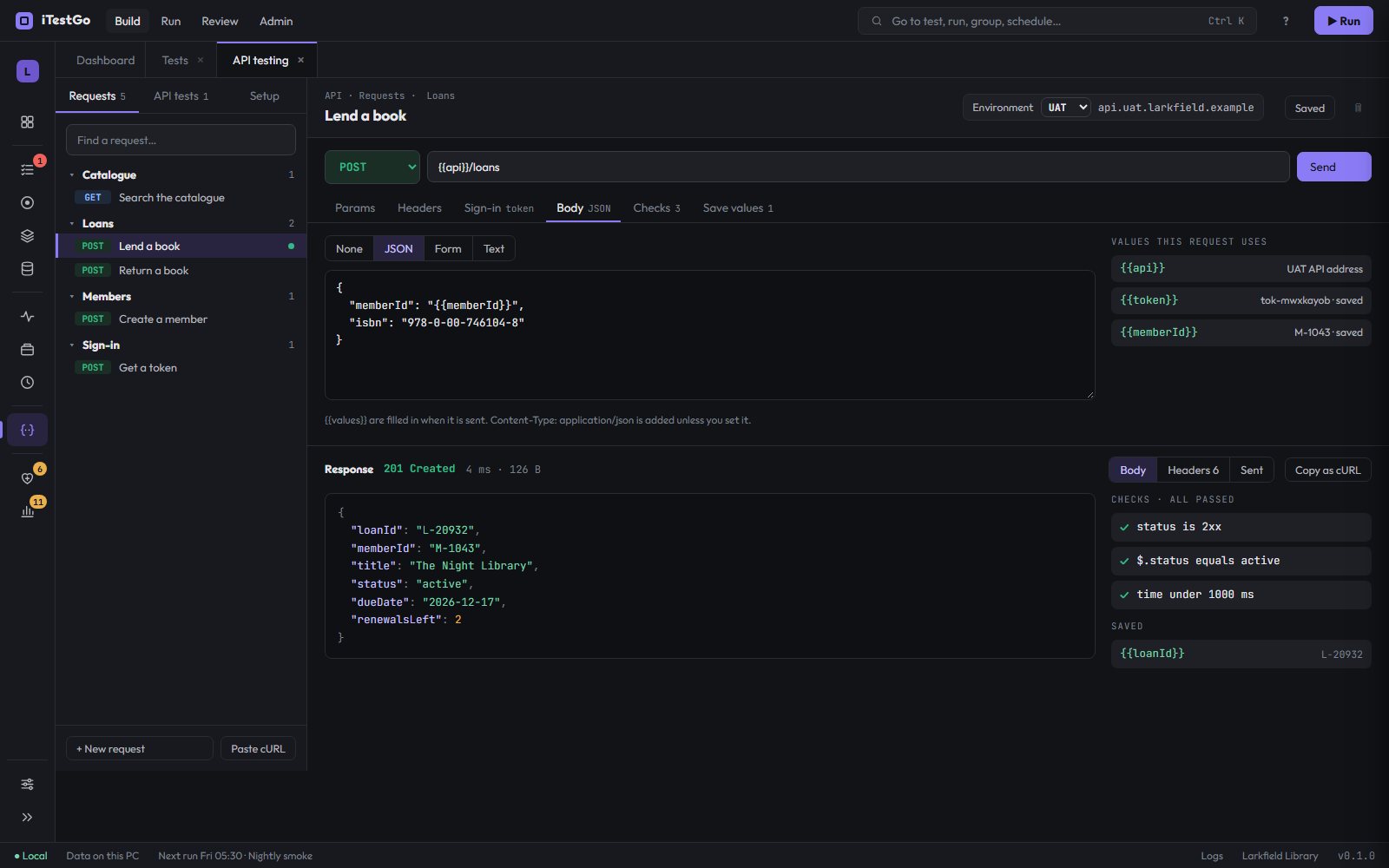
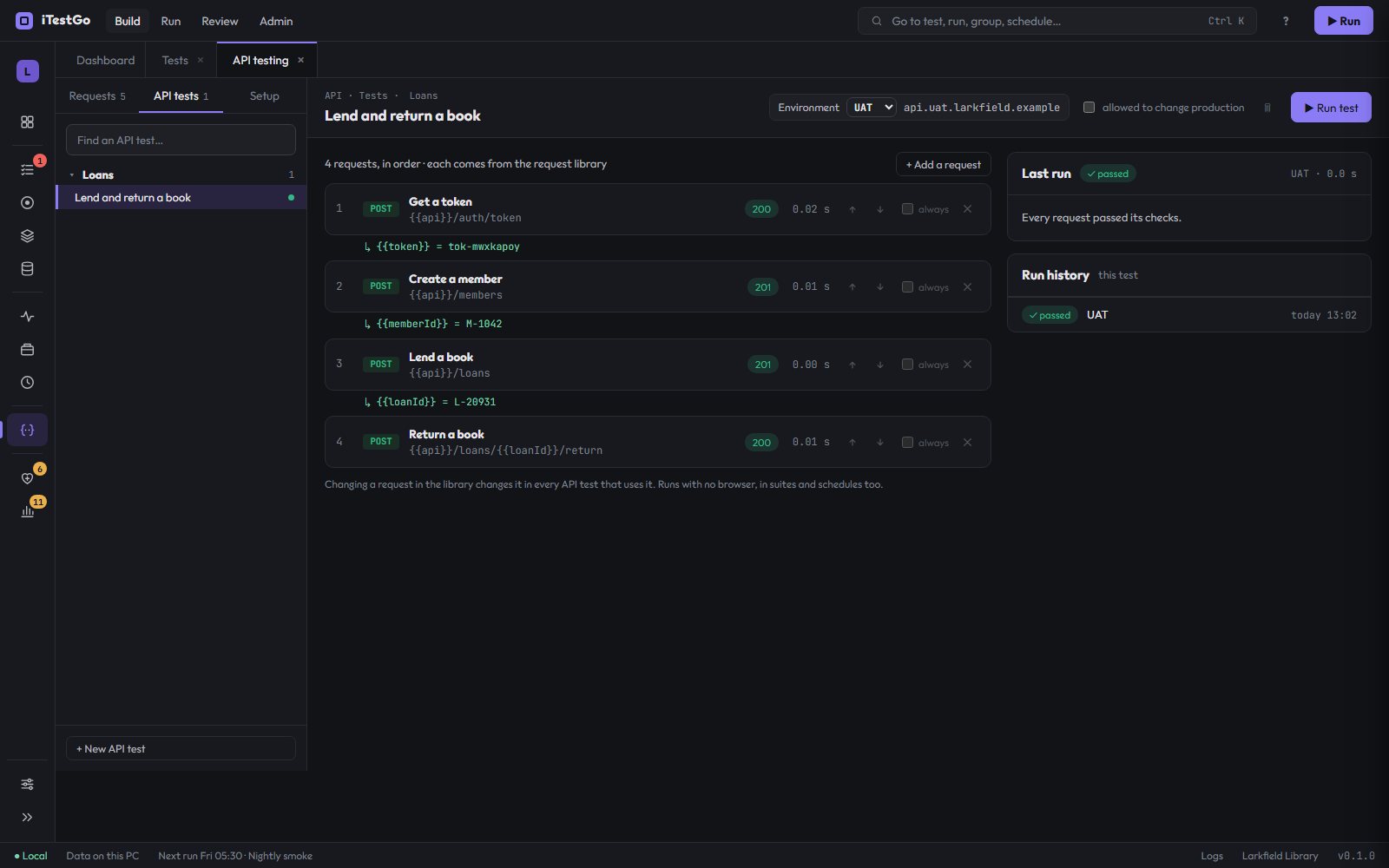
A request library, checks you add by clicking the response, values passed between calls, and API tests that run with no browser at all.
Suites and schedules
Group tests into suites, run them every night or on chosen days, re-run only the failures, and test against DEV, TEST, UAT, PRE or PROD.
Dashboards and reports
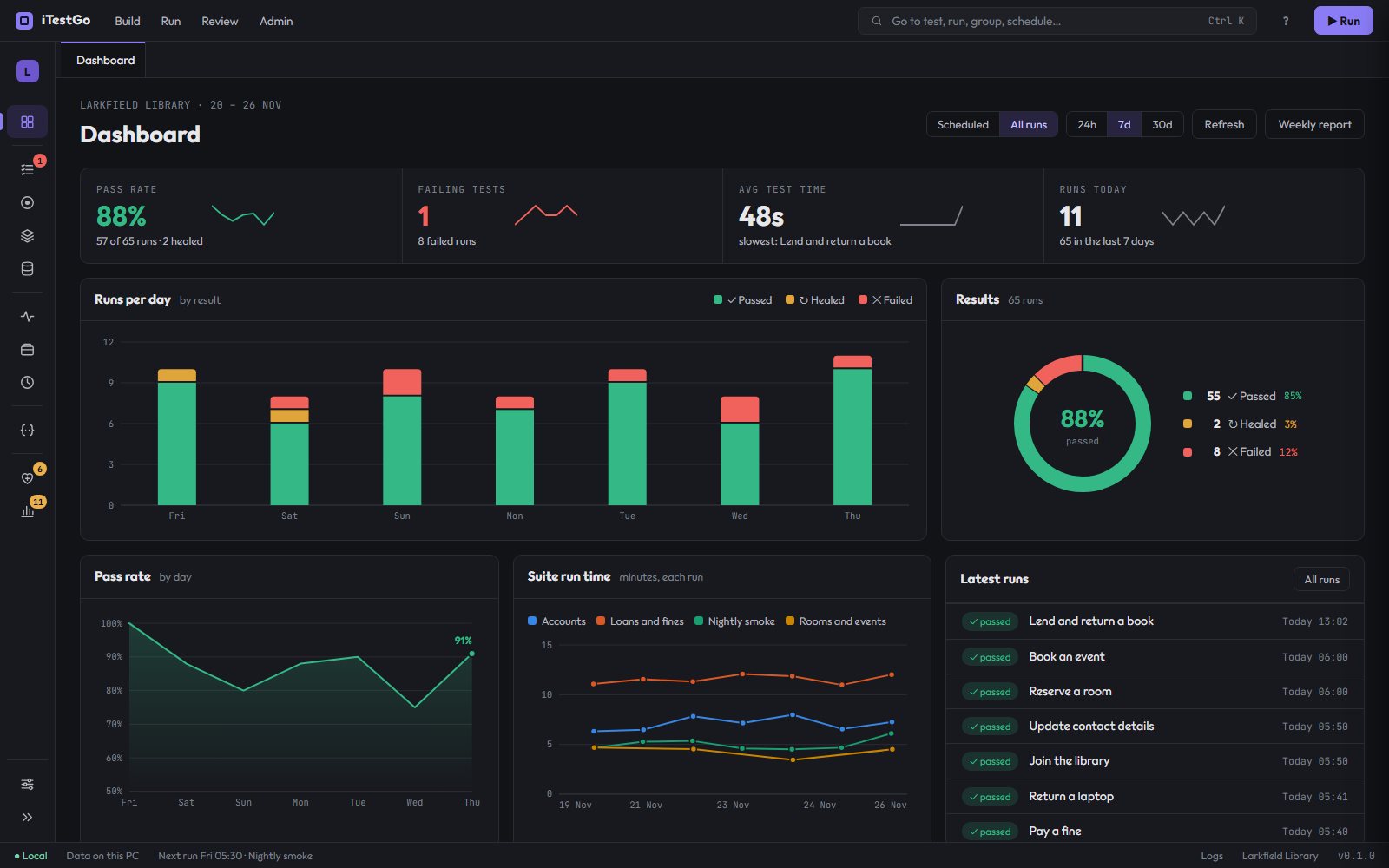
Pass rate, runs per day, flaky tests, slowest steps and suite run times at a glance, with screenshots of every failure and a weekly report.
Private by design
Tests, runs and screenshots stay on your PC. Passwords live in an encrypted vault and are masked as ***** in every record and report.
Test the API behind the page
A separate API module, so web tests stay simple. Build a library of requests, then string them into API tests that run in seconds.
- Click to check. Click any field in a response to check it or save it for the next request.
- One address per environment. Write {{api}}/loans once; it is sent to DEV, UAT or PROD as you choose.
- Paste cURL. A command from your browser's developer tools becomes a request, with its token moved to the vault.
- Safe on production. A change to PROD always asks first.
Results go where your team looks
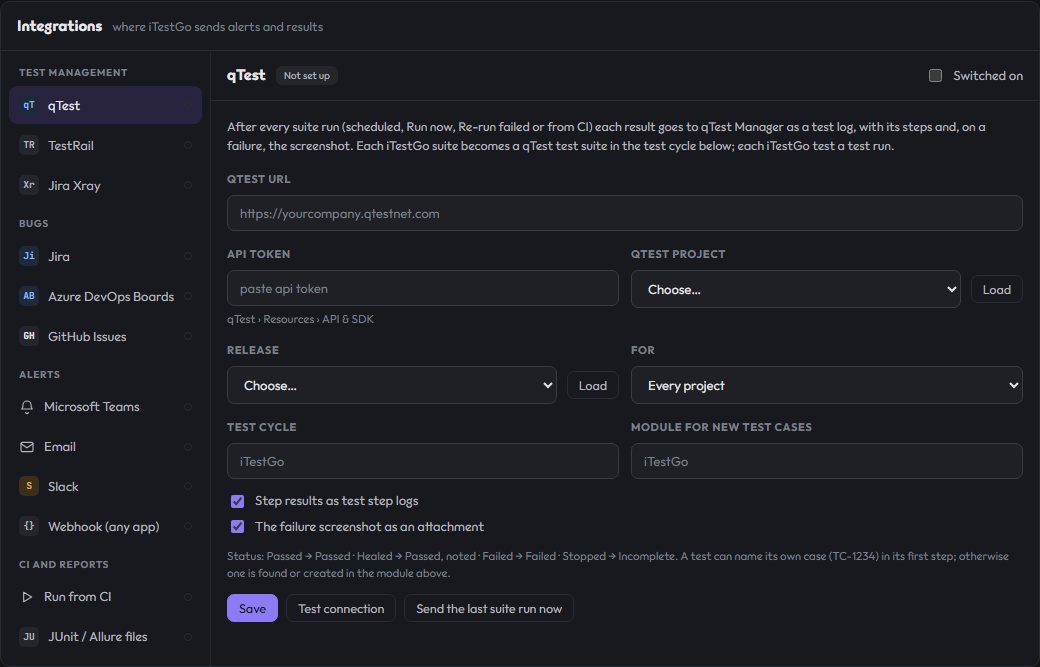
After every suite run, iTestGo sends what happened to the tools you already use.
- Test management: qTest, TestRail and Jira Xray, with step results and the failure screenshot.
- Bugs: Jira, Azure DevOps Boards or GitHub Issues. One bug per failure, a comment when it fails again, a note when it passes.
- Alerts: Microsoft Teams, Slack, email, or a signed webhook to any app.
- CI: start a suite from your pipeline and publish the JUnit or Allure results.
Three steps to a suite that runs itself
Record
Open your app, press Record and use it as normal. Each click, entry and check becomes a step with a plain-English name.
Run and schedule
Group tests into suites and schedule them. They run in the background, in any browser and environment you choose.
Review and heal
Watch the dashboard. When the app changes, approve the suggested heals in one click and the suite stays green.
Fast, local and yours
Get iTestGo for Windows
One installer, no admin rights needed. The browsers it tests with come with it.
Good to know
Does my data leave my PC?
No. Tests, runs, screenshots and settings are stored on your PC. Nothing is sent anywhere unless you switch on an integration such as qTest or Jira, and then only the results you choose.
Do I need to write code?
No. You record tests by using your app. If you want more control, a step can run your own JavaScript, and API tests are built from forms, not code.
What does "self-healing" mean?
Each recorded step keeps several ways to find its element: its id, text, role, position and more. When the main one stops matching, iTestGo tries the others, runs on with the best match, and lists the change for you to approve or undo.
Can it run in CI?
Yes. Make a token in Settings, and your pipeline can start a suite, wait for it and publish the JUnit results. The pipeline needs to run on, or be able to reach, the PC running iTestGo.
Which browsers can it test?
Chromium (Chrome and Edge), Firefox and WebKit (the engine behind Safari), at any screen size you set.